


Apple Sports Just Went Global: New Massive Update Launches Live World Cup 2026 Features
- SportPlus News

- May 20
- 3 min read
While standard score apps often feel overcrowded, Apple’s design philosophy here is built entirely around speed, simplicity, and zero ads. The latest update shifts the app from a basic league scoreboard into a powerhouse tournament tracker.

If you are an iPhone user trying to figure out how to track live scores and tactical data without cluttering your phone with bulky apps, Apple just dropped the perfect pre-tournament gift.
In its massive Version 4.0 update, the tech giant announced that the Apple Sports app has expanded to more than 90 new countries and regions.
Now available in over 170 markets globally—including a major rollout across Southeast Asia, Latin America, and Europe—the free sports companion app is fully transforming into the ultimate digital second-screen experience just in time for the FIFA World Cup 2026 kickoff this June.
Whether you are tracking match stats on the go or mapping out the knockout stages, here is everything new coming to your screen.

The Ultimate Second-Screen Experience for World Cup 2026
While standard score apps often feel overcrowded, Apple’s design philosophy here is built entirely around speed, simplicity, and zero ads. The latest update shifts the app from a basic league scoreboard into a powerhouse tournament tracker.
Instead of flipping between browser tabs or fighting broadcast delays, football fans can now access deep, personalized tournament features.
1. Interactive Tournament Bracket View
Say goodbye to manual spreadsheets. Apple Sports has introduced a clean, scrollable tournament bracket view that tracks the entire progression of the competition. Users can seamlessly follow along as teams advance through the high-stakes group stages, into the dramatic penalty shootouts of the knockouts, and all the way to the final match.
2. Live Tactical Visual Formations
For the tacticians who want to analyse the "why" behind the game, Apple is upgrading its game cards with visual formations. Before the referee blows the opening whistle, you’ll get a graphical layout of each national team’s starting lineup and player positioning on the pitch, updating dynamically as substitutions occur.
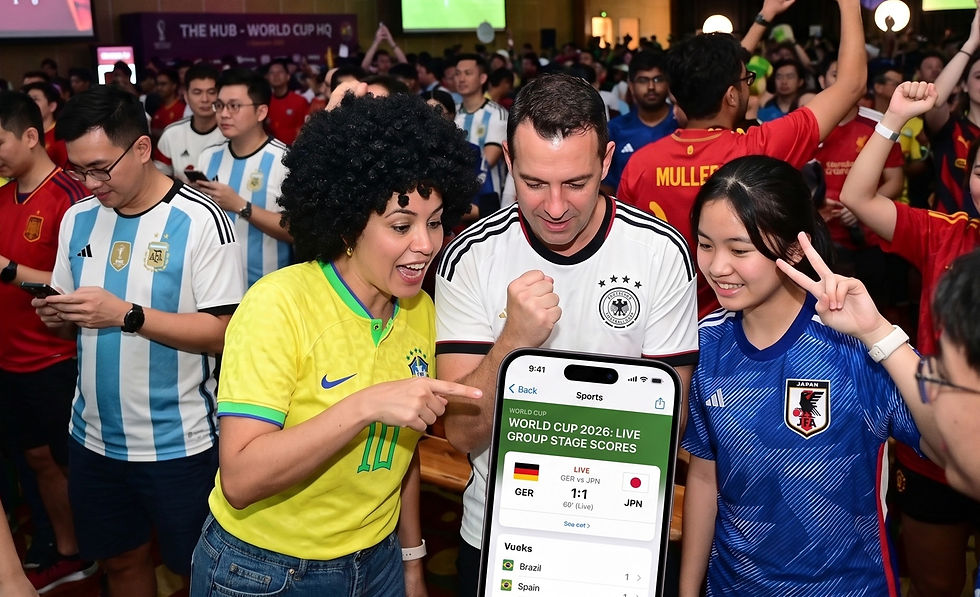
Deep Ecosystem Integration: iOS 18 Live Activities & Lock Screen Widgets
The real magic of the Apple Sports app lies in how beautifully it embeds itself into the Apple ecosystem. By choosing to follow your favorite national teams or the entire tournament, the app activates several hands-free tracking tools:
Live Activities: Real-time scores and critical match updates stream directly onto your iPhone Lock Screen or Apple Watch with zero latency. A quick glance tells you everything you need to know.
Home Screen Widgets: You can drop dedicated scoreboard widgets straight onto your iPhone, iPad, or MacBook desktop to watch the tournament’s progress while you work.
One-Tap Streaming via Apple TV: Found a match you need to watch immediately? A single tap inside the app redirects you straight to the Apple TV app to locate the live broadcast on connected local streaming services.
"The World Cup unites fans across the globe, making it the ideal moment to bring Apple Sports to even more users," says Oliver Schusser, Apple’s vice president of Music, Sports, Apple TV, and Beats. "It gives fans an easy way to stay on top of scores, stats, and the action that matters most in real time."
How to Get the Update
The Apple Sports app is entirely free to use and contains no hidden paywalls or subscription tiers.
To unlock the new World Cup features, visual lineups, and global market access, make sure your iPhone is running the latest version of iOS and head over to the App Store to download the app today.
Are you planning to use Apple Sports as your main scoreboard this June, or do you prefer traditional sports tracking platforms?
Download Apple Sports for free on the App Store. #applesg #iphone #FIFAWorldCup


Comments